

Best academic conference management software: 9 tools compared (Updated September 2026)

Published on 12 Feb 2025 · Updated on 03 Oct 2026
How I compared the best academic conference management software
If you organize academic conferences, departmental symposia, or society meetings, you know the pain of stitching together a call for abstracts on one tool, peer review in a spreadsheet, event registration on a generic ticketing site, and a program in a Word document. In this article, I compare the nine best conference management software tools for academic and scientific events and research organizations in 2026, starting with Fourwaves.
Most “best conference software” articles rank tools like generic event management software, scoring ticket sales and sponsor booths. I took an academic-first view instead. I weighed each conference management system on the key features that actually matter to a research conference: abstract submissions and a real single or double-blind review process, reviewer assignment, a multi-track program builder, event registration with online payments, transparent pricing as well as data compliance. I keep this comparison up to date as vendors ship changes (with some exception). This guide was last updated in July 2026, and everything below reflects what I confirmed with vendors in June and July 2026.
Full disclosure: I’m the founder of Fourwaves, so I have an obvious stake here. Where a competitor is the better fit for your event, I say so.
Just want the product, not a roundup? See Fourwaves conference management software.
Only need to collect and review submissions? See our dedicated comparison of the best abstract management software.
Academic conference management software compared at a glance
| Software | Built for academia | Free plan | Pricing model | Blind peer review |
| Fourwaves | Yes | Yes | Flat annual; no per-registrant fee | Single and double-blind |
| Ex Ordo | Yes | No | Quote only, per event | Single and double-blind |
| Oxford Abstracts | Yes | Yes | Transparent, per event | Single and double-blind |
| ConfTool | Yes | Small events only | Licensed per event | Yes |
| EasyChair | Yes | No | Per submission | Yes |
| Whova | No | No | Quote only; scales with attendees | No |
| Cvent | No | No | Quote only; per registrant | No |
| EventMobi | No | No | Per event | No |
| Wild Apricot | No | Trial only | Monthly, by contact count | No |
I verified the pricing and the features included against each vendor’s website in June 2026. “No” in the table below means the capability is not offered or not published, and “quote only” means the pricing is shared only upon request. The first 5 tools are built for academic conferences; the last 4 are general event platforms that I often hear conference organizers shortlisting. The sections below explain where each one fits.
1. Fourwaves
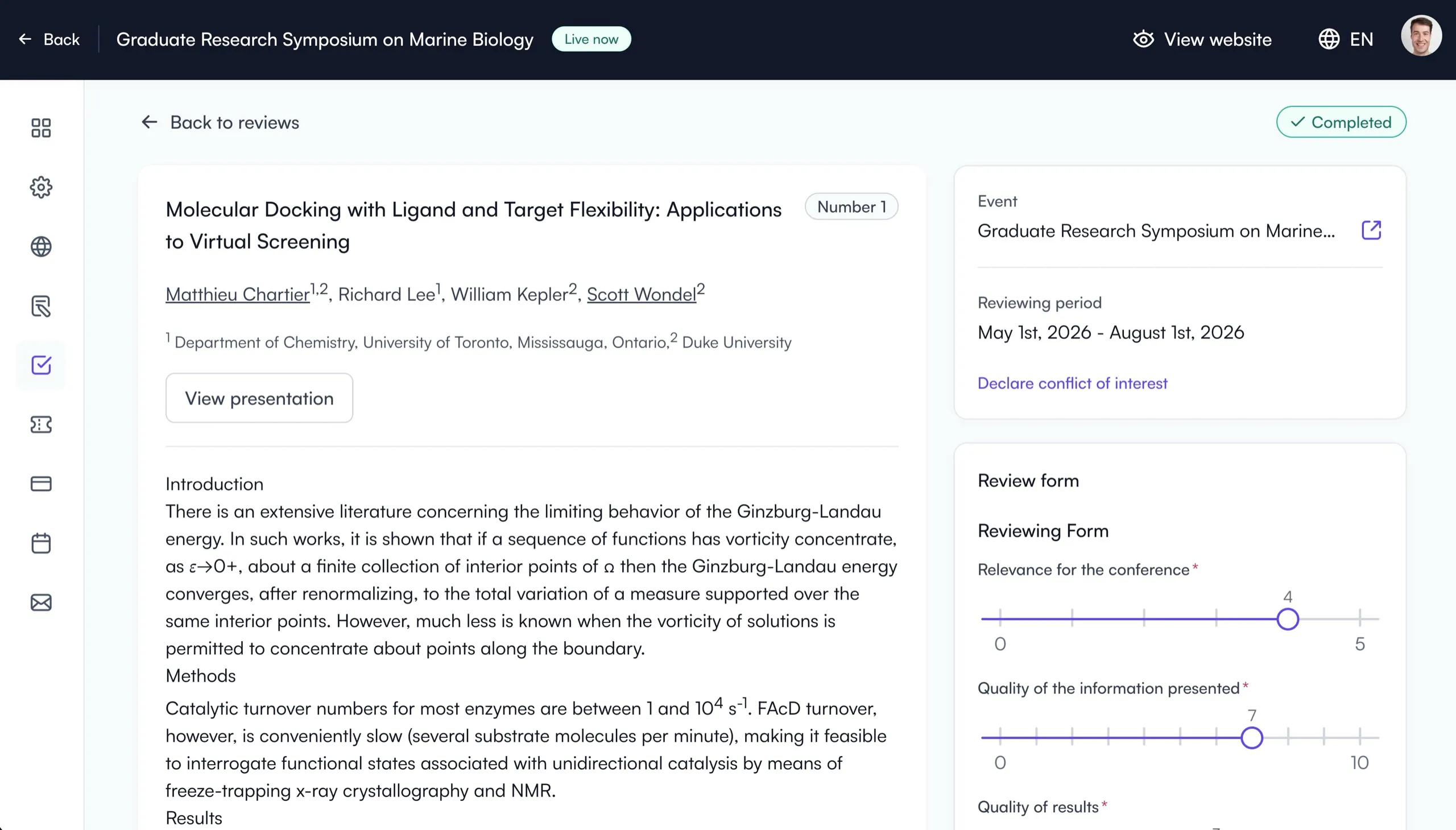
Best for: Academic conferences of any size that want abstracts, peer review, registration, website, program and conference app in one platform, from a departmental research day to a multi-track society meeting with 2,000+ submissions
Fourwaves is conference management software built specifically for academic events: conferences, symposiums, workshops, and poster sessions run by universities, associations, societies, and research networks.
It covers the full lifecycle in one connected platform: abstract submissions, single and double-blind peer review, a conference program builder, event registration with online payments and invoicing, an event website builder, and even virtual poster sessions. Because the pieces are connected from the start, accepted abstracts flow straight into your program, website, and book of abstracts without re-keying anything.
Standout features:
- Customizable submission forms: collect abstracts by topic, track, or presentation type, with custom fields for whatever your event requires.
- Integrated peer review: assign reviewers by topic of expertise with workload caps, score against your own criteria, and manage revision rounds from one reviewer portal.
- Program and website in sync: publish accepted work to a searchable program and event website in a few clicks.
- Your own domain name: the event website can run on a domain you own, connected directly rather than forwarded, so the conference address stays in the browser bar.
- University-friendly payments: Fourwaves partners with university financial services so you can connect your institution’s payment gateway, and it handles registration fees, invoices, and receipts.
- Distinct roles: submitters, authors, and presenters are treated as separate roles, allowing you to track presenters that didn’t register and follow up easily.
One limitation that will be addressed in the near future is there are no specific modules for session submissions. Organizers can work their way around conditional logic to collect proposed sessions, but a dedicated module would facilitate this.
A native iOS and Android conference app is included free in all plans: full program, personal agenda, list of presentations (with PowerPoints, posters, images and videos) and a participant directory, with an offline mode so it works even without wifi.
Costs are transparent: flat annual plans with no per-registrant fee, and a free plan for smaller simpler events. Data protection follows GDPR and major North American privacy laws.
Interactive Fourwaves demo (submission system)
Try Fourwaves below.
Try the platform that's purpose built for academic events.
2. Ex Ordo
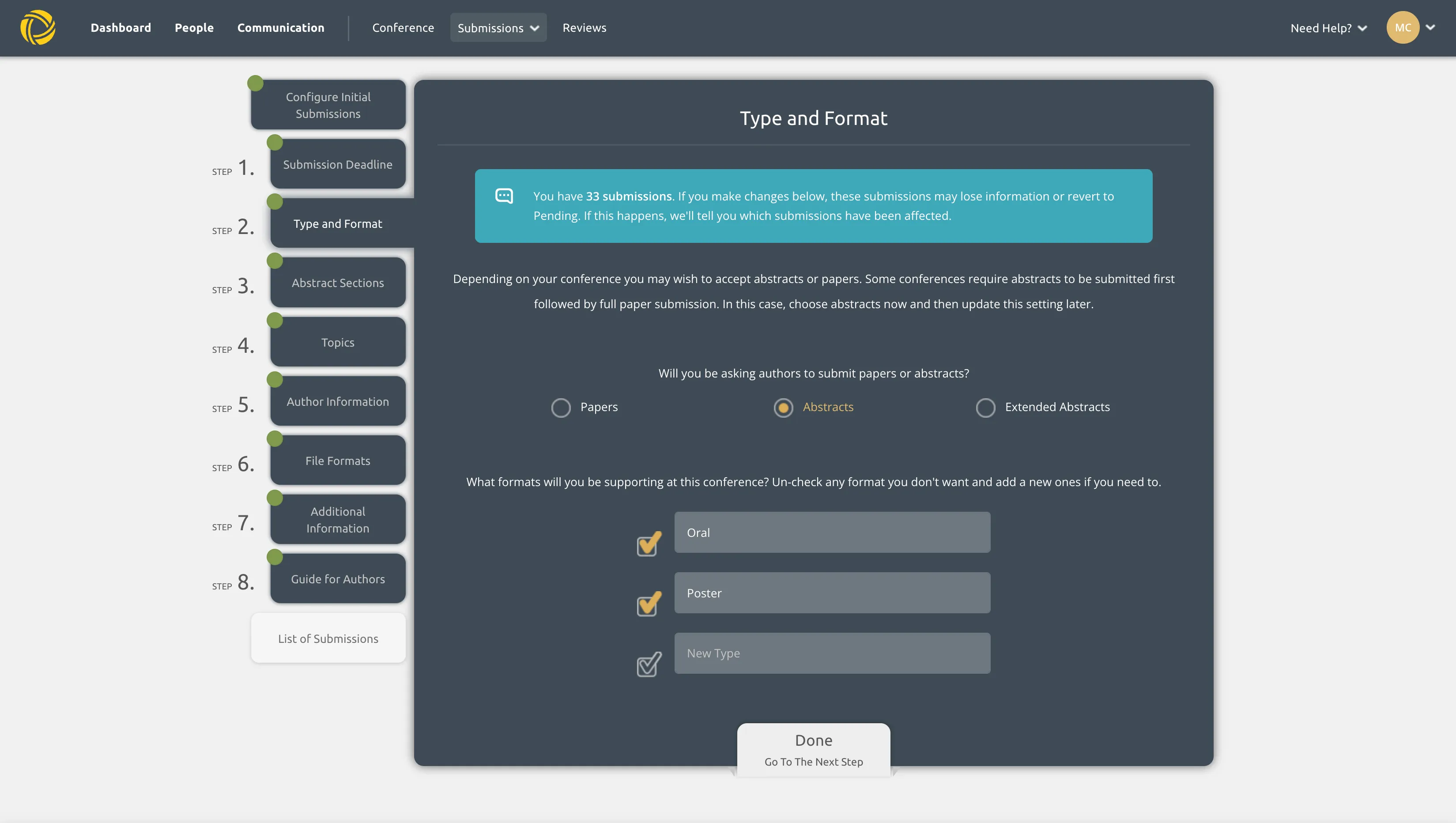
Screenshot of my Ex Ordo portal showing the submissions setup
Best for: Association conferences that collect panel submissions, sync member status from Naylor and prefer a quote-based, service-led vendor
Ex Ordo is a software I’ve been following since my time as a graduate student. It’s a conference management software aimed at research and professional association conferences. It started as an abstract submission and peer review software for scholars. They then expanded into session scheduling as well as registration and payments. It has many options for data exports that committees ask for.
Earlier in 2025, Ex Ordo added a feature for symposium/panel submissions. It copies roughly their submission workflow, with a few differences that allow organizers to collect panels distinctly from submissions. There are still things lacking in terms of allowing those to be directly embedded in the program with submissions, but I suspect this is something that will be improved along the way. It also recently (mid-2025) integrated with Naylor, a membership software, allowing delegates in Ex Ordo to be tagged with the correct membership status.
Its strength is structured, multi-track review at scale: track chairs, decision workflows, and proceedings-ready outputs. The trade-off is the buying process. Pricing is quote only and scoped per event, so budgeting requires a sales conversation, and smaller events can find the setup heavier than they need. Ex Ordo offers an event mobile app through Guidebook, at about $3,500 USD per event on a quote we received. It works well, but it is expensive and it is not built in the same ecosystem as the original data, which can cause headaches in the days leading up to the event.
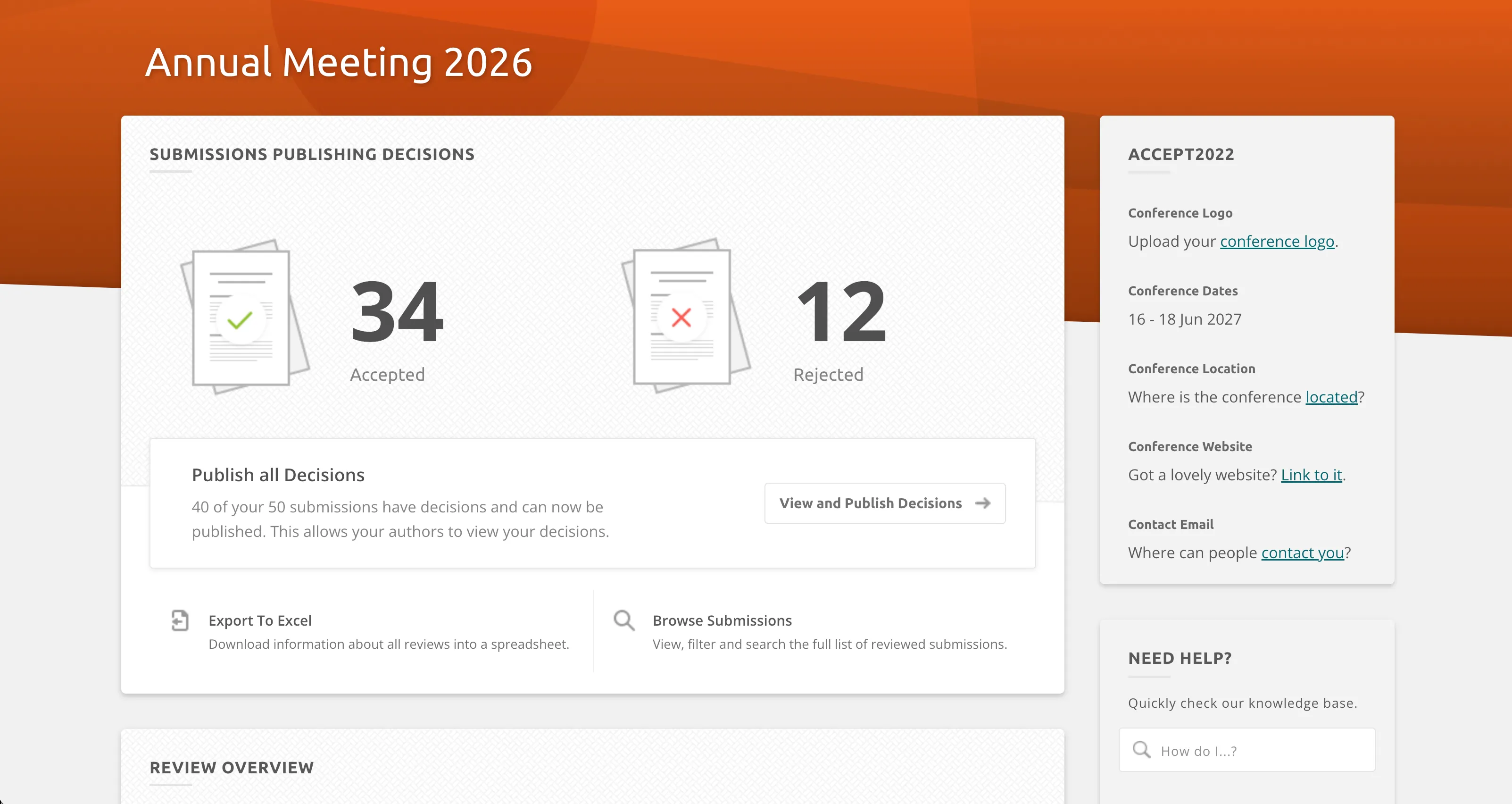
The decisions view in my own Ex Ordo account, with cards tallying accepted and rejected submissions
Pro tip: If you want academic-grade review without a quote-based sales cycle, compare it with the Fourwaves conference management software, which publishes flat annual plans.
3. Oxford Abstracts
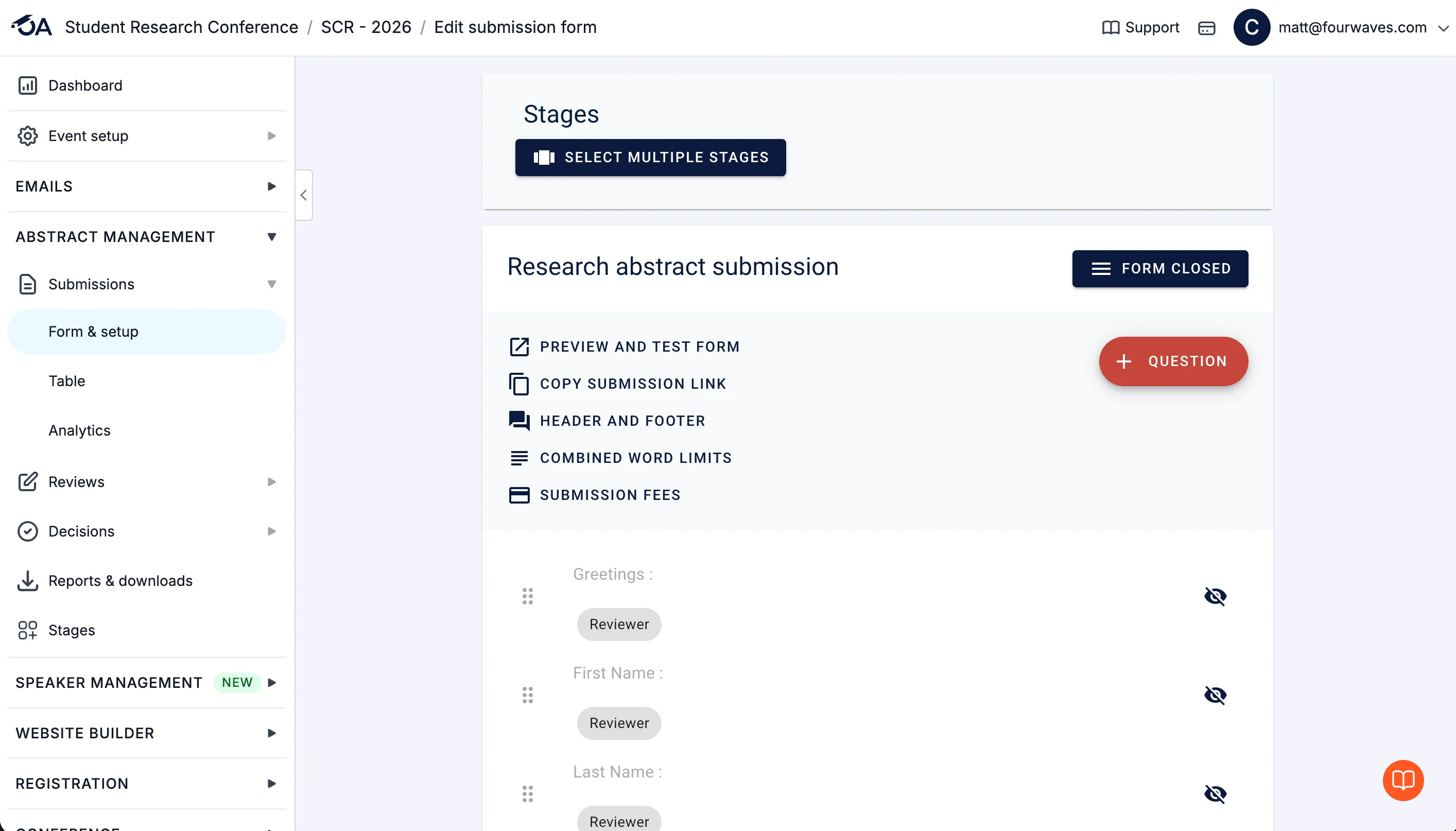
Best for: Conferences that collect symposia and their sub-abstracts through a paid symposium add-on
Oxford Abstracts has built for academic conferences for two decades, with a focus on the submission and review side. It offers a free tier for small events, transparent per-event pricing, and single and double-blind review.
One useful feature is the symposium module (paid add-on) that allows organizers to manage session submissions and their abstracts. This is something we often hear from customers in social sciences. This can be used for panel submissions too.
Where it is lighter is everything after acceptance: registration, payments, and the event website are not its core, so many organizers pair it with other tools. There is no dedicated event mobile app. If your event needs a full program, registration, and website alongside submissions, an all-in-one platform saves the integration work.
4. ConfTool
Best for: European academic conferences with established review committees
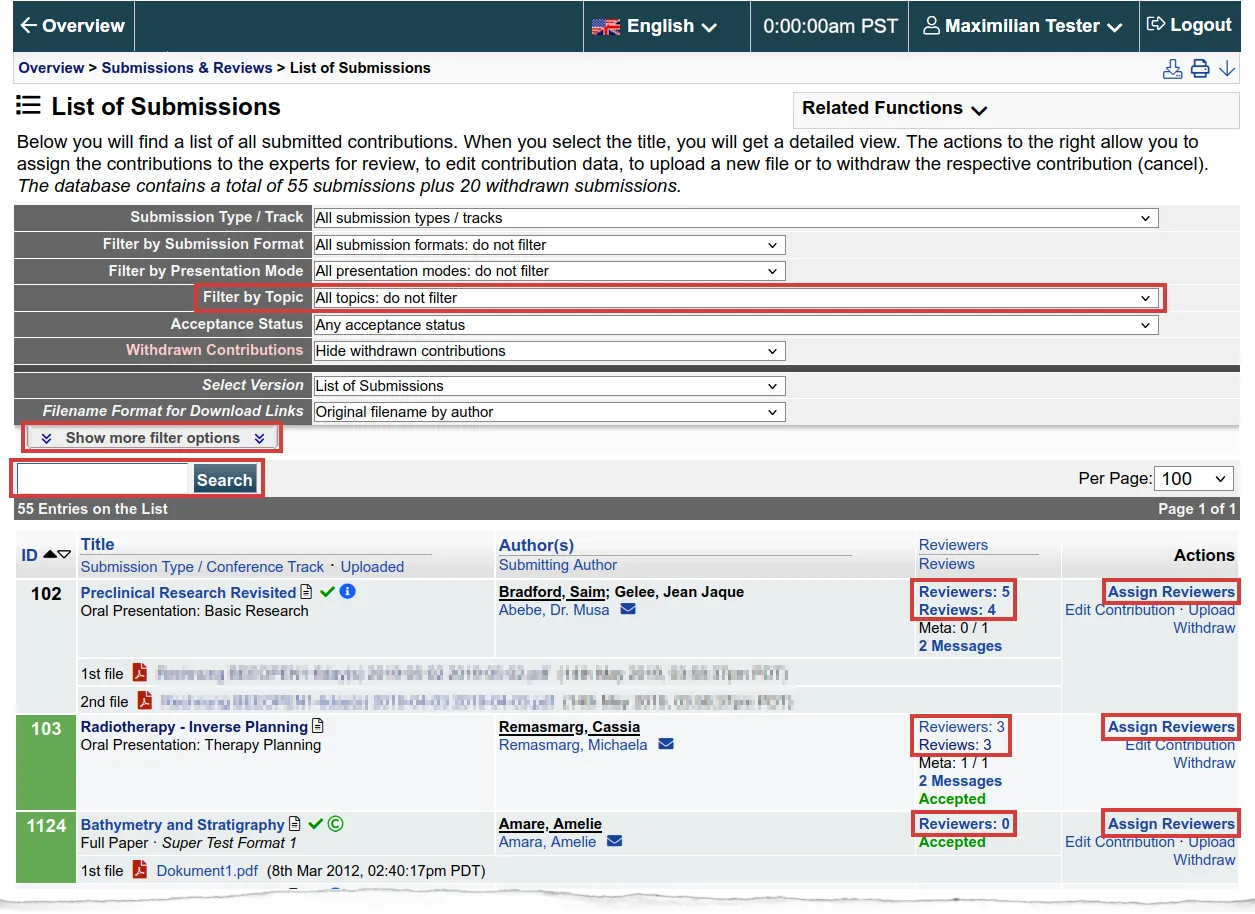
ConfTool is a long-standing German platform that many European academic conferences rely on. It combines submission and review management with participant registration, supports blind review options, and its standard edition is free for small non-commercial events.
It does provide features organizers and program managers are used to seeing, like reviewer bids and multi-track management, among others.
It is proven and battle-tested, but the interface shows its age, and both organizers and attendees can find it complicated next to modern tools. Licensing is per event and scales with participant count.
Pro tip: Organizers switching from ConfTool often cite ease of use as the reason. See how The Neuro at McGill made the switch.
5. EasyChair
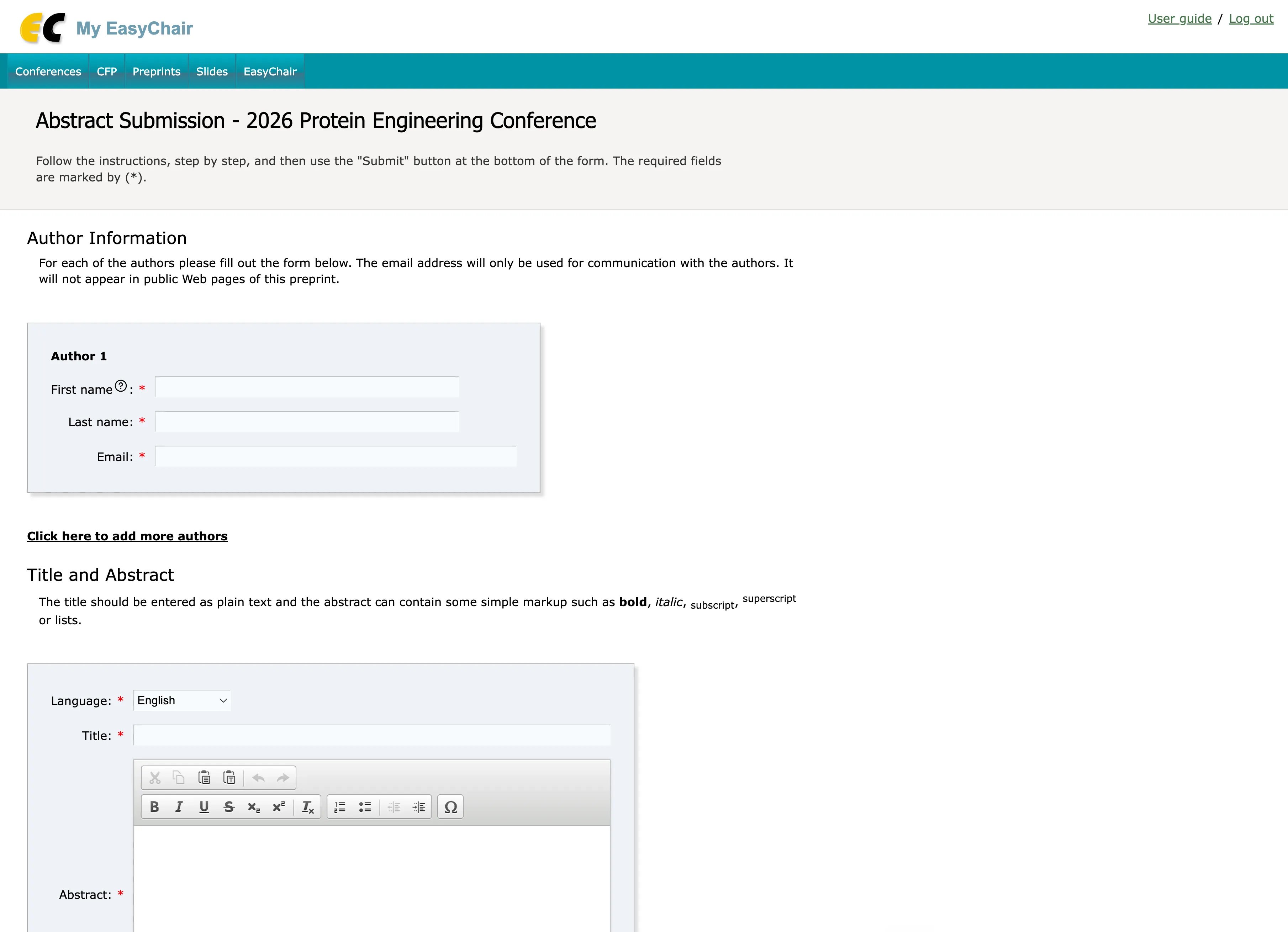
The EasyChair submission form, an interface that has barely changed since my grad school days
Best for: Computer science conferences with high submission volumes
EasyChair is the default in computer science: a legacy look and feel, but proven system for paper submission and peer review that handles very large volumes and program committee workflows people are accustomed to.
It charges per submission, and it stays deliberately narrow. Registration, payments, and event websites have very minimal features, and the interface is very dated and is a frequent complaint from authors and reviewers outside CS. Registration is also a separate paid add-on: Pavel Andreev, full professor at the University of Ottawa’s Telfer School of Management, told me in July 2026 that on top of the $1,399 CAD he paid for full support and unlimited functionality, EasyChair suggested an additional $400 for the registration module, with a 3.2% total transaction fee. There is no mobile event app and customer support is not easy to get based on feedback we’ve had from customers. If your conference revolves around papers and a program committee, clearly it does the job and it’s proven. If you need to run a whole conference, you will need more tools around it for sure.
6. Whova
Best for: Attendee networking and a polished mobile event app
Whova is a general event platform that stands out with their event mobile app: agendas, personalized schedules, gamification features, networking, and community features that attendees genuinely use. It also offers registration, event websites, and basic abstract handling. The latter was added over the course of 2025.
It has a ton of features, but not all relevant for academic or research conferences, and that makes the interface a bit overwhelming.
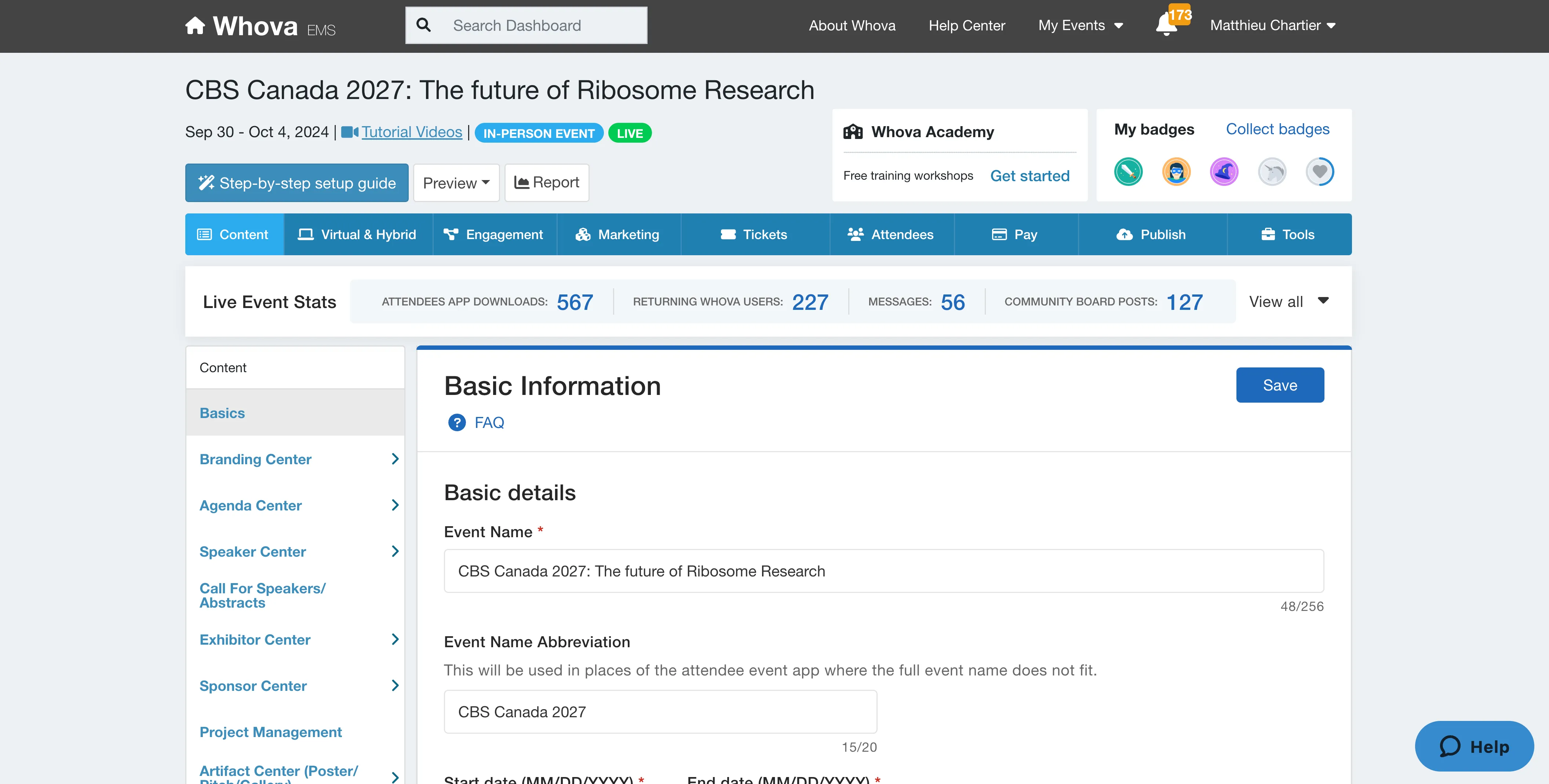
The organizer dashboard in my own Whova account, captured while writing this update, showing just how many modules there are to configure
For academic events, the review side is the gap: there is no real blind peer review, so organizers with a serious call for abstracts typically pair Whova’s app with a dedicated submission tool, or choose a platform that covers both. Pricing is quote only and scales with attendee count.
7. Cvent
Best for: Very large, enterprise-grade conferences
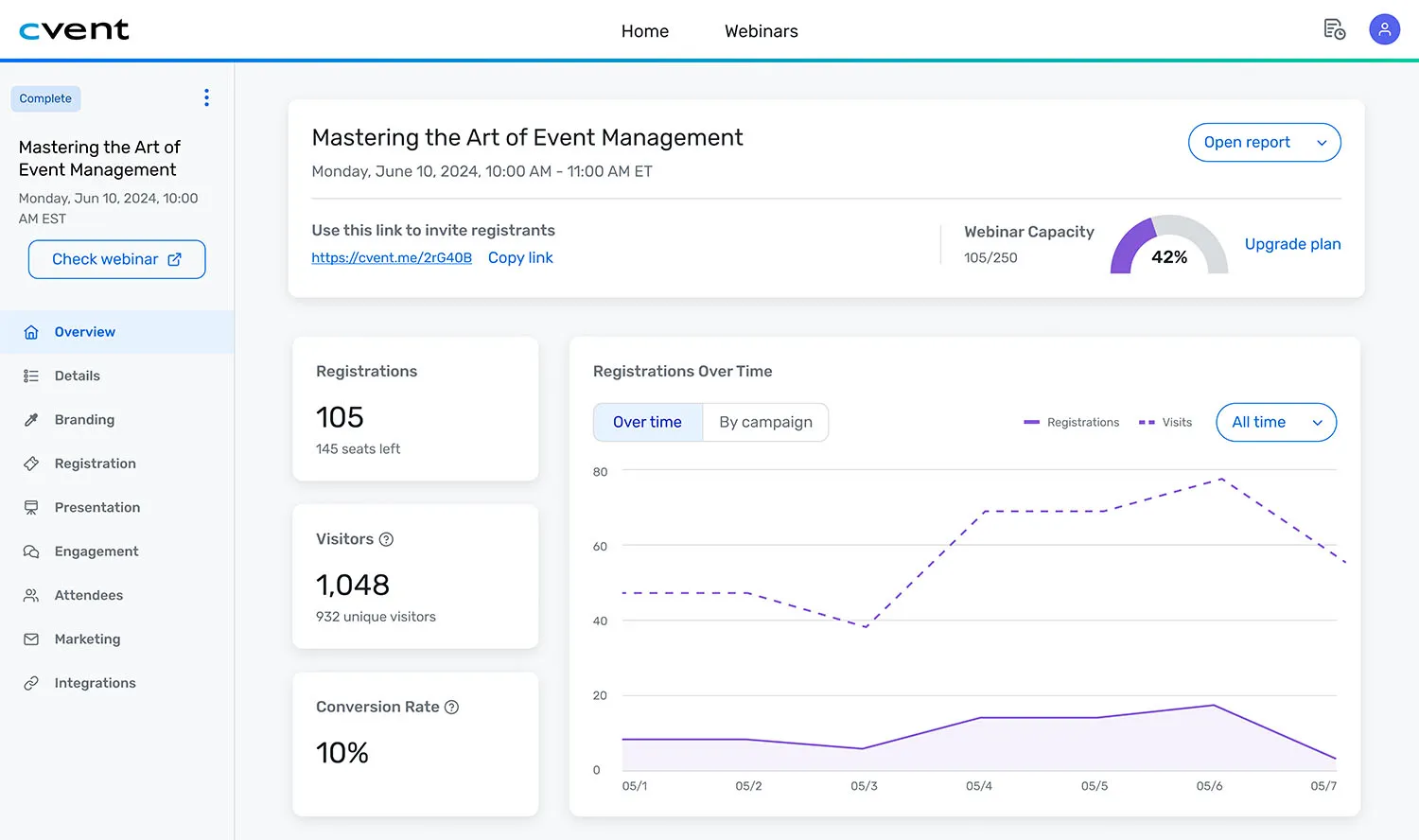
Cvent is the enterprise software that many are aware of and use. It includes venue sourcing, event diagramming, speaker and exhibitor management, a conference website, check-in and badging, and deep reporting. At multi-thousand-attendee scale, its on-site tooling is excellent. They have the OnArrival app with check-in capabilities and can also help with on-site staff for badge printing.
For academic organizers, the calculus is cost and fit. Pricing is quote only with per-registrant fees, abstract management is an add-on rather than the core, and most research conferences never touch the enterprise toolkit they are paying for. In my conversations, Cvent users running academic events stay for the power but consistently question the price.
8. EventMobi
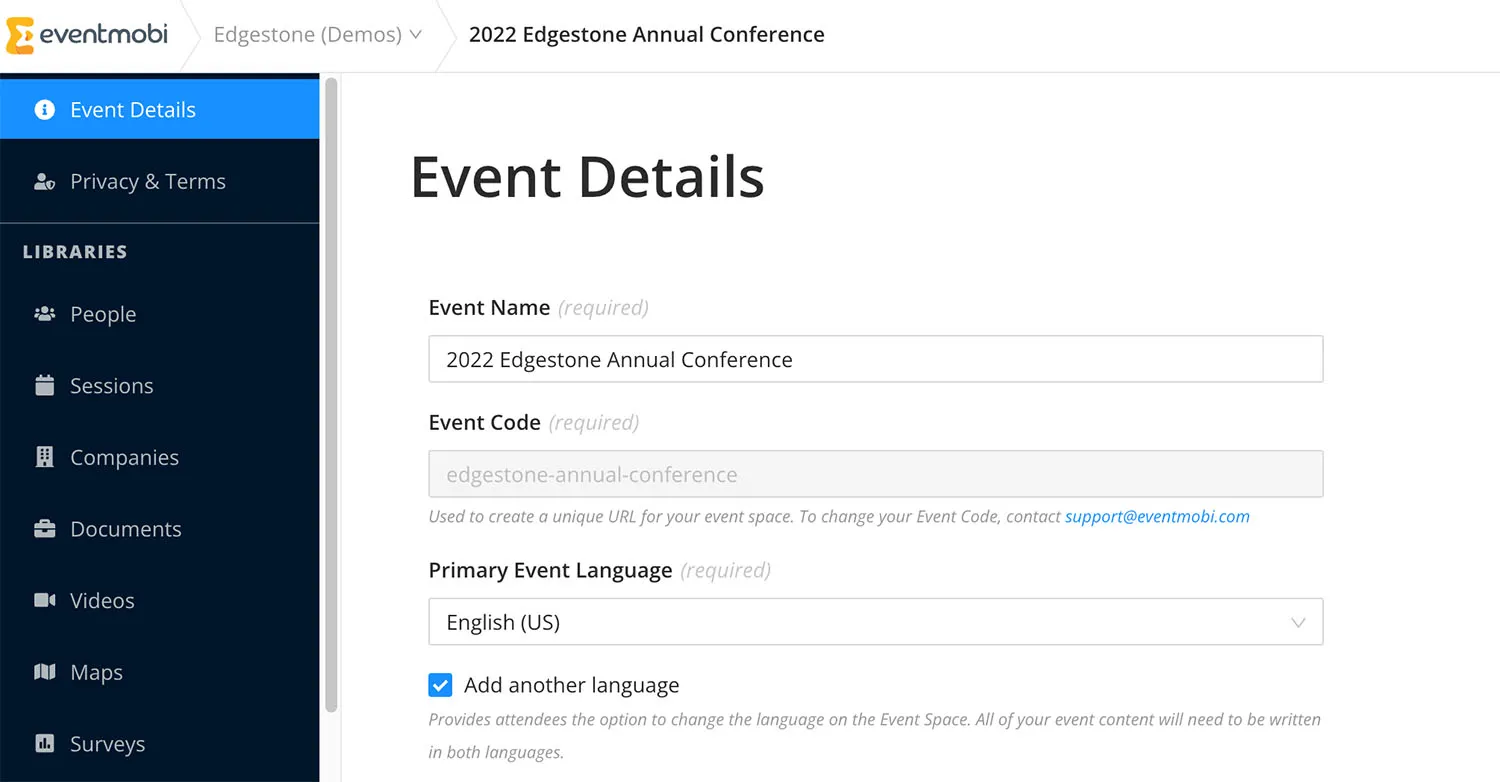
Best for: Mobile-first attendee engagement
EventMobi centers on the attendee experience: customizable event apps, live polls, real-time updates, networking, and on-site registration with badge printing. Pricing is per event.
It is not built for the academic workflow, as there is no abstract submission or peer review, so it fits best as the engagement layer for events whose scientific content is managed elsewhere.
9. Wild Apricot
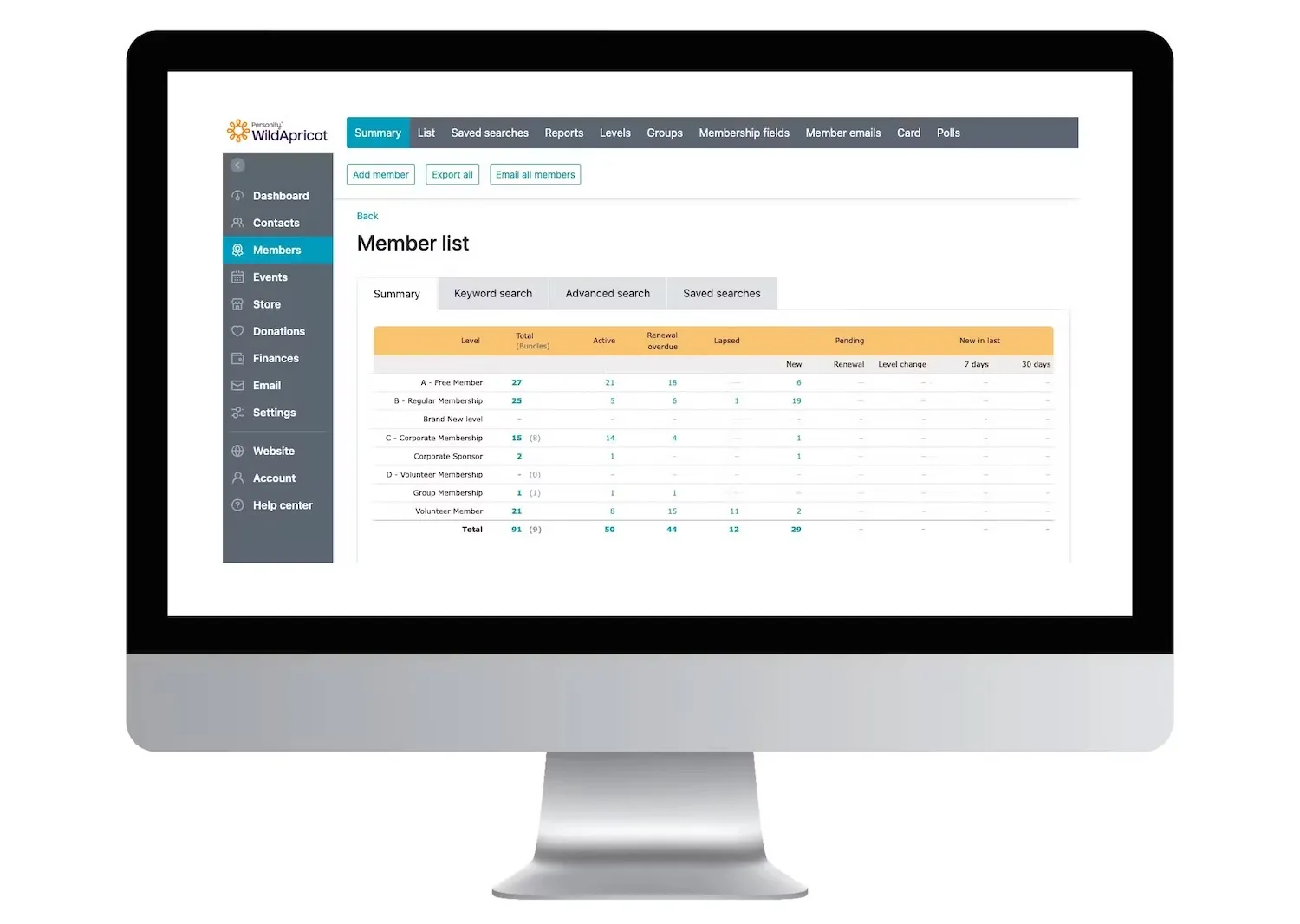
Best for: Small societies that run events off a membership database
Wild Apricot is membership management software with event features: member directories, automatic renewals, payment processing, and event registration tied to member records. For a small scholarly society whose annual meeting is one activity among many, that integration is convenient.
It has no abstract or review capabilities, so societies running a call for abstracts pair it with a dedicated conference tool. Pricing is a monthly subscription based on contact count.
Virtual conferences and hybrid events: how these tools compare
Most academic conferences are in person, but virtual conferences and hybrid events haven’t disappeared. I often see international groups run virtual poster sessions, sometimes just an afternoon, to keep their community members engaged and up to date on the latest research. The platforms above handle this very differently. Fourwaves can host engaging virtual poster sessions (with laser pointer and follow mode), livestreamed talks linked to the program, and networking that keeps virtual attendees engaged. Whova and EventMobi lead with mobile apps and attendee engagement tools built for in-person crowds, with virtual events supported as an extension. Cvent covers hybrid conferences at enterprise scale, with the event logistics machinery (badging, exhibitors, online meetings) that implies. If a hybrid format matters to your event, test the virtual side with a real session before committing; it’s where platforms differ the most.
How to choose the right academic conference management software
With the landscape mapped, here is the process I recommend to narrow nine options down to one.
Step 1 - Define your event and its goals
Start with the shape of your event: a 100-person symposium, a multi-track international conference, or a hybrid poster session. Note the format (in-person, virtual, or hybrid), the expected number of submissions and registrants, and how you will measure success. Event planners running multiple events a year should also weigh how much setup carries over between editions, across the entire event lifecycle.
Step 2 - List the features you cannot compromise on
For most academic conferences the shortlist test is simple: abstract submission, reviewer assignment and blind peer review, a program builder that handles parallel sessions, a registration system with online payments your institution can work with, and an event website. Add anything specific to your event, like poster sessions, proceedings exports, or CE credits.
Step 3 - Understand the pricing model
The sticker price matters less than the model behind it. Quote-only pricing makes budgeting slow, per-registrant fees penalize growth, and per-submission fees penalize a successful call for abstracts. Favor transparent, flat pricing you can put in a grant budget or funding request, and account for transaction fees on payments.
Step 4 - Test usability with the people who will use it
Book demos and run a real scenario: submit an abstract, score it as a reviewer, register as an attendee. Reviewers and authors are volunteers, and a confusing interface shows up as late reviews and support emails to you. Read customer stories from events like yours to see how each platform performs in practice, then book a demo to judge for yourself.
Step 5 - Check support, compliance, and room to grow
Ask about the support team’s response times during your event, data protection (GDPR and the privacy rules of academic institutions), and what happens when a smaller event grows into a large conference or adds a second track. A platform that scales spares you a painful migration two years in.
Academic conference management software FAQ
The best conference management software for an academic or scientific conference is the one that connects abstract submission, peer review, registration, the program, and the event website in a single platform, instead of leaving you to stitch spreadsheets and forms together. Fourwaves is built specifically for research events, which is why it leads this comparison: multi-track submission forms, single or double-blind review with automatic reviewer assignment and conflict detection, per-track sub-committees, and an automatically generated book of abstracts. The right pick still depends on how deep your review process needs to be and your submission volume.
The rest of this article compares nine tools against those academic-first criteria so you can match one to your event.
Academic conference management software should handle the parts of a scholarly event that generic event tools skip: flexible abstract submission forms, blind peer review with conflict-of-interest safeguards, reviewer scoring and assignment, acceptance decisions by presentation type, a downloadable book of abstracts, and a searchable program built from the accepted submissions. Registration, payments, and an event website round out the platform so everything stays connected.
For research events specifically, look for support for large submission volumes, multilingual submissions, and data-handling practices aligned with the compliance review your institution runs.
Pricing for academic conference management software ranges widely: some vendors publish flat annual plans, while others quote per-attendee or per-submission rates that only surface after a sales call. For a scholarly event on a fixed grant or departmental budget, published flat pricing is usually easier to plan around than a per-registrant model.
Fourwaves publishes its pricing: a free plan covers unlimited events and registrations with 25 abstract submissions per year, and paid plans are flat, starting at $999 USD per year, with peer review included from the Advanced plan and no add-ons or per-registrant fees.
Free conference management software for academic events exists in two forms: platforms with a genuine free tier, and open-source tools that are free to self-host. The trade-offs are usually submission caps, limited peer review, or the maintenance burden of running the software yourself.
Fourwaves has a free plan built for academic conferences: unlimited events and registrations, 25 abstract submissions per year, and a ready-to-publish event website, with paid plans available when you need higher submission volumes or peer review.
Fourwaves runs both single and double-blind peer review. You control exactly which author and submission details reviewers can see, assign reviewers by topic or expertise, score submissions against your own evaluation criteria, and manage author revision rounds, all from one reviewer portal.
Fourwaves follows strict data protection standards and complies with GDPR, FERPA-aligned practices, and major North American privacy laws. Payment data is processed through PCI-certified providers like Stripe.