

April 2026 product update: revamped badge builder and more specific refunds

Published on 24 Apr 2026
This month’s updates are focused on giving organizers more control over two critical parts of the event experience: the name badges participants wear onsite, and the refunds they occasionally need to issue. We also adjusted how form variables are inserted in certain places.
A completely redesigned name badge builder
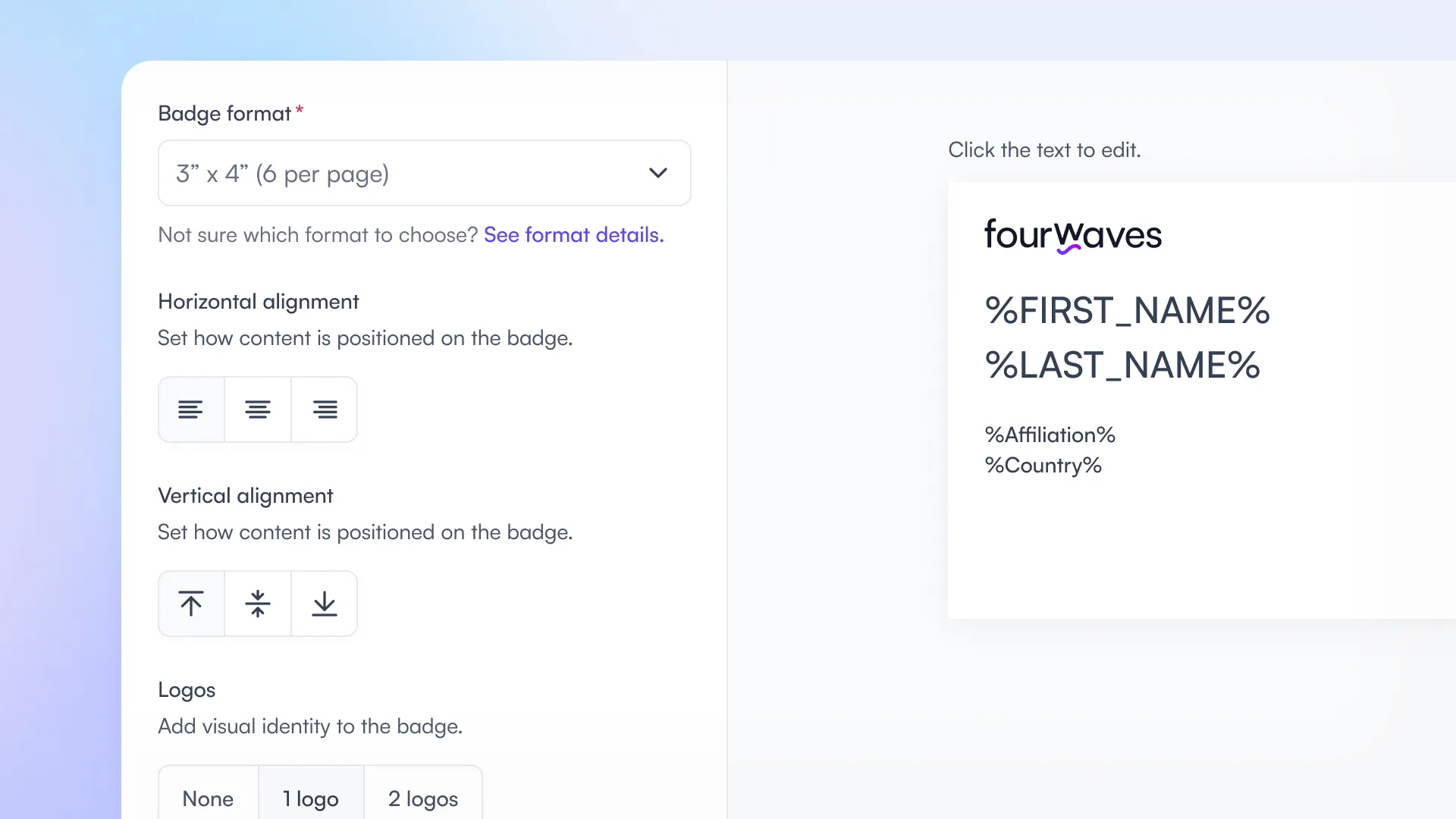
You can now have more control on the content, position and format of the name tags.
Building name badges on Fourwaves used to mean working around product limits. You could only display two fields in addition to the participant name. Logos had to be uploaded in a separate Theme and colors section. There was no visual editor and no live preview. Many organizers ended up rebuilding everything in external tools, which meant manual work, formatting errors, and no single source of truth.
We have rebuilt the name badge editor from the ground up, reusing the same proven UX as the certificate generator.
Benefit: Organizers can design polished, fully customized name badges with unlimited fields, a real time preview, and an optional QR code, all without leaving Fourwaves.
How it works
- Click directly into any text box to edit the content.
- Choose from six text sizes for more typographic flexibility.
- Insert any field as a merge variable, including pronouns, meal choice, role, or affiliation. Several variables can be combined on a single line (for example, prefix + first name + last name).
- See every change in real time with a WYSIWYG preview.
- Switch to the full preview mode to scroll through every participant’s badge with their actual values, so you can verify the rendering before printing.
- Add a logo directly inside the editor (no more separate upload) and fine tune its size to the millimeter with a slider and live preview.
- Add an optional QR code that links to the participant’s event page.
- Use the new horizontal (left, center, right) and vertical (top, middle, bottom) alignment controls that apply consistently to text, logo, and QR code.
A helper text under the badge format dropdown links to our guide of Avery paper products compatible with each format, so you know exactly what to buy before printing.
Your changes are also saved automatically so you can continue at any time. Close the editor, come back another day, and pick up exactly where you left off.
Issue detector
An issue detector flags any badge whose content overflows the edge. Filter the preview to show only badges with errors so you can apply the right fixes in one pass.
Refund the exact items of a transaction
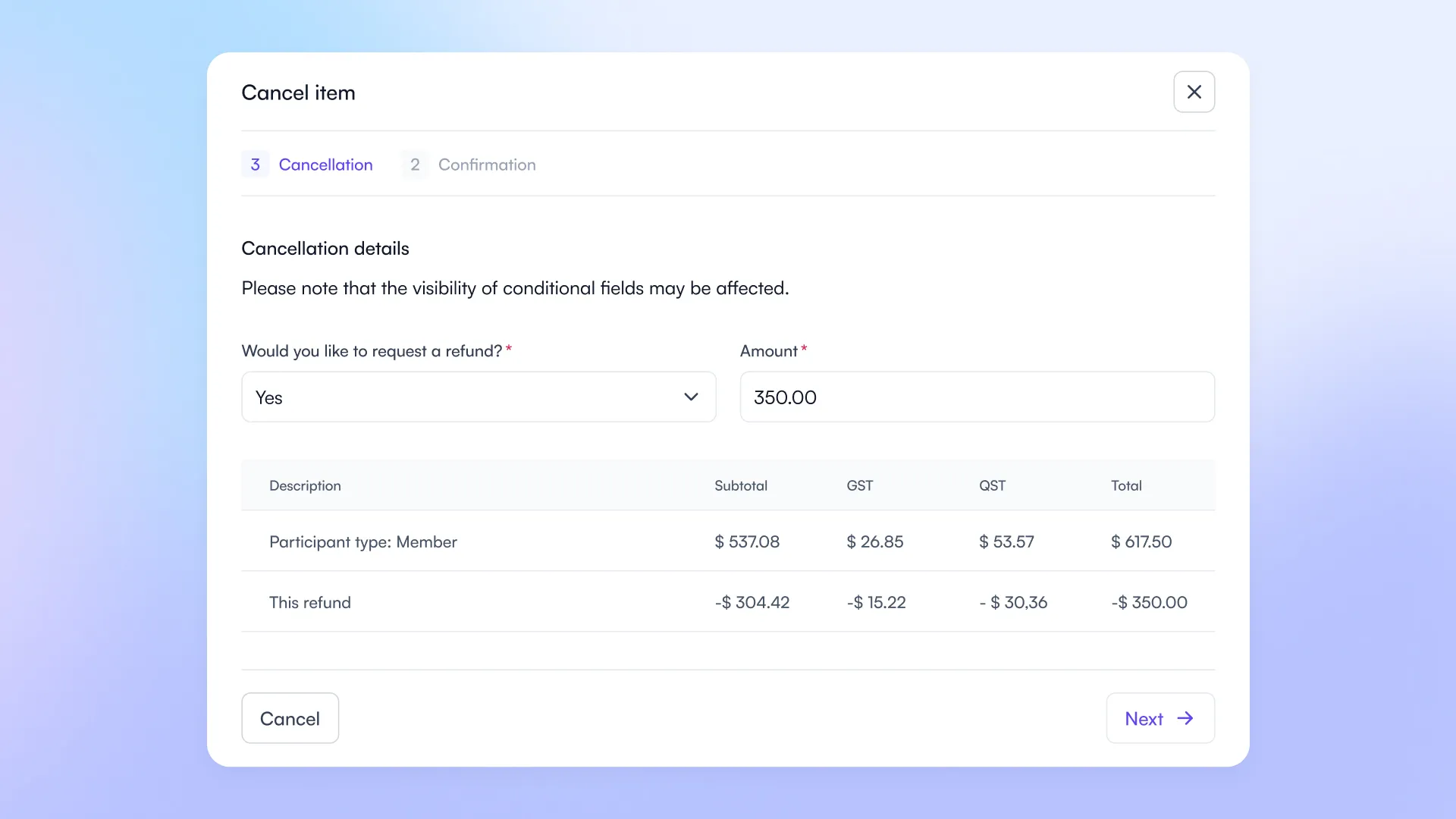
You can see the full breakdown of the refund when you cancel an item.
Until now, when an organizer cancelled an item and issued a refund, the refunded amount was split proportionally across ALL items in the transaction. That meant taxes were not refunded correctly for the cancelled item, and reconciling the books could become a manual puzzle.
Organizers can now cancel a specific item and issue a refund that applies only to that item, with subtotals and taxes calculated correctly.
Benefit: Refunded taxes and subtotals match the cancelled item exactly, producing clean invoices and predictable accounting.
How it works
- When you cancel an item, specify the amount to refund.
- A confirmation screen shows a data table with the full cost breakdown (subtotal, taxes, total) and the exact refund amount that will be processed.
The refund is then applied proportionally across that item’s subtotal and its taxes only.
The original payment stays visible in a separate line, so you always see the full picture when auditing.
Short labels are now used consistently when inserting variables
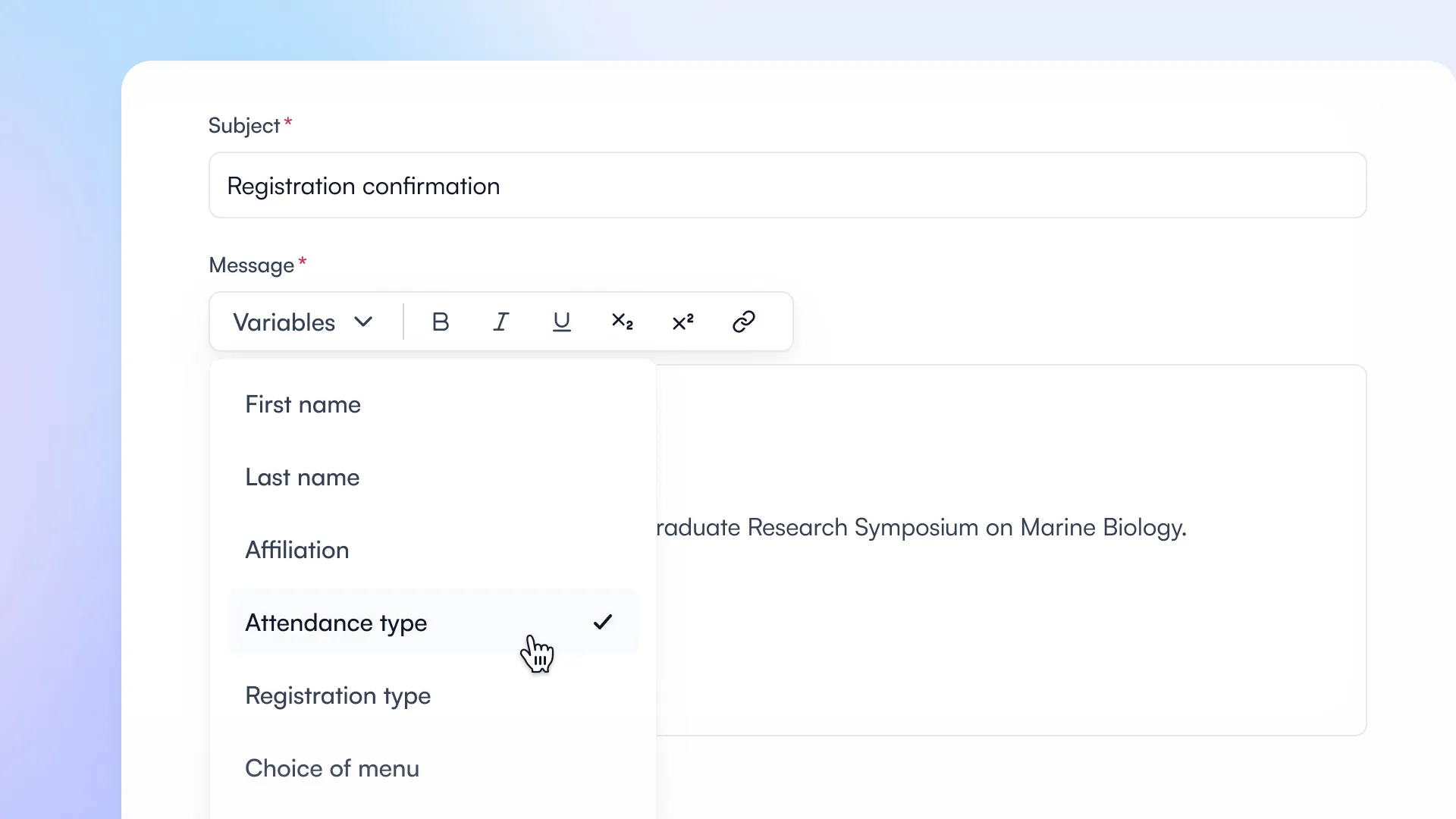
The short label is used when inserting variables.
Every form field in Fourwaves can have two labels: the full label participants see on the form, and a shorter “short label” meant for compact displays (Excel reports, data tables, etc.).
The short label was already used in several places, but in a few key spots, the long label was still displayed when inserting a variable, for example in confirmation emails or on name badges.
That sometimes produced unwanted results, because the label visible on the form sometimes needs to be more descriptive than the one shown on badges, in emails, or on certificates.
We have fixed that. The short label is now used consistently everywhere a variable is inserted.
Benefit: Organizers get more predictable, polished output everywhere a field value appears, without having to shorten the public form label itself.
How it works
- The short label is now used when inserting a field variable in: mass emails, registration and submission confirmation emails, name badges, and certificates.
- If you have already configured short labels for your fields, they will appear automatically in these places, no action needed.
- Other places (Excel reports, invoices, data tables, dropdowns, checkout carts, abstract booklets) keep their existing behavior, which already relied on the short label.
Coming in May: a refreshed event dashboard navigation
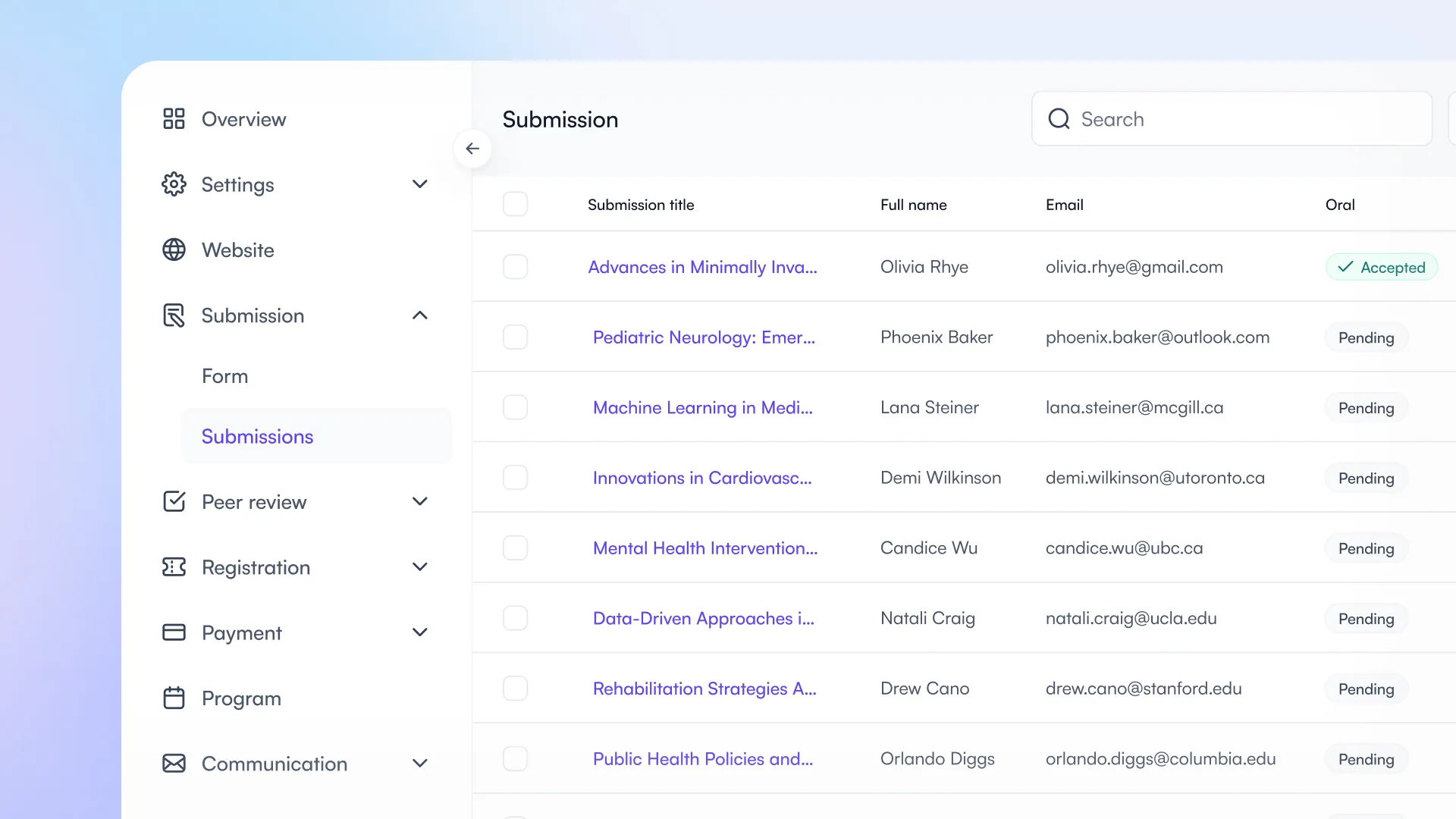
A preview of the new event dashboard navigation that will be released in May.
Next month, we are rolling out a redesigned navigation in the event dashboard.
The layout will be reorganized to group everything by topic, making it easier to find what you need and paving the way for a few things we have cooking behind the scenes 🤫.
Full details in the May blog post!